Ctrl/




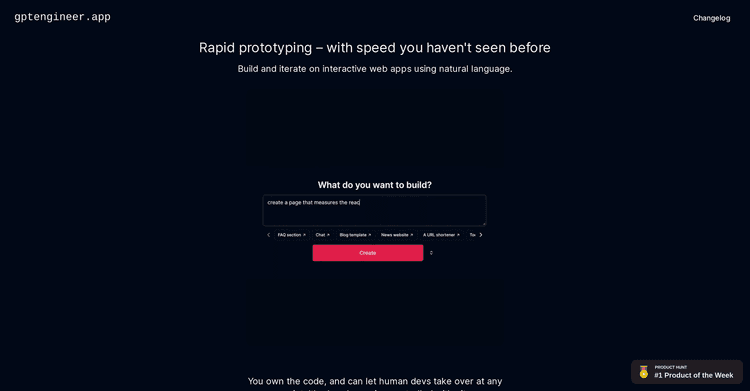
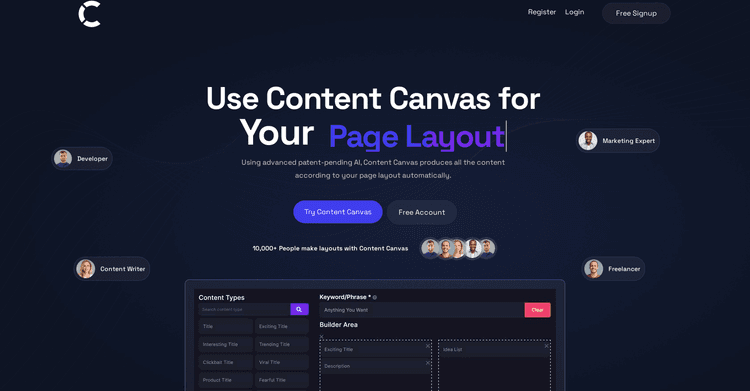
Utilize AI to transform your concepts into dynamic apps and websites.
Input:
Output:
Updated: Aug 5, 2025 Free + from $20/month
Description
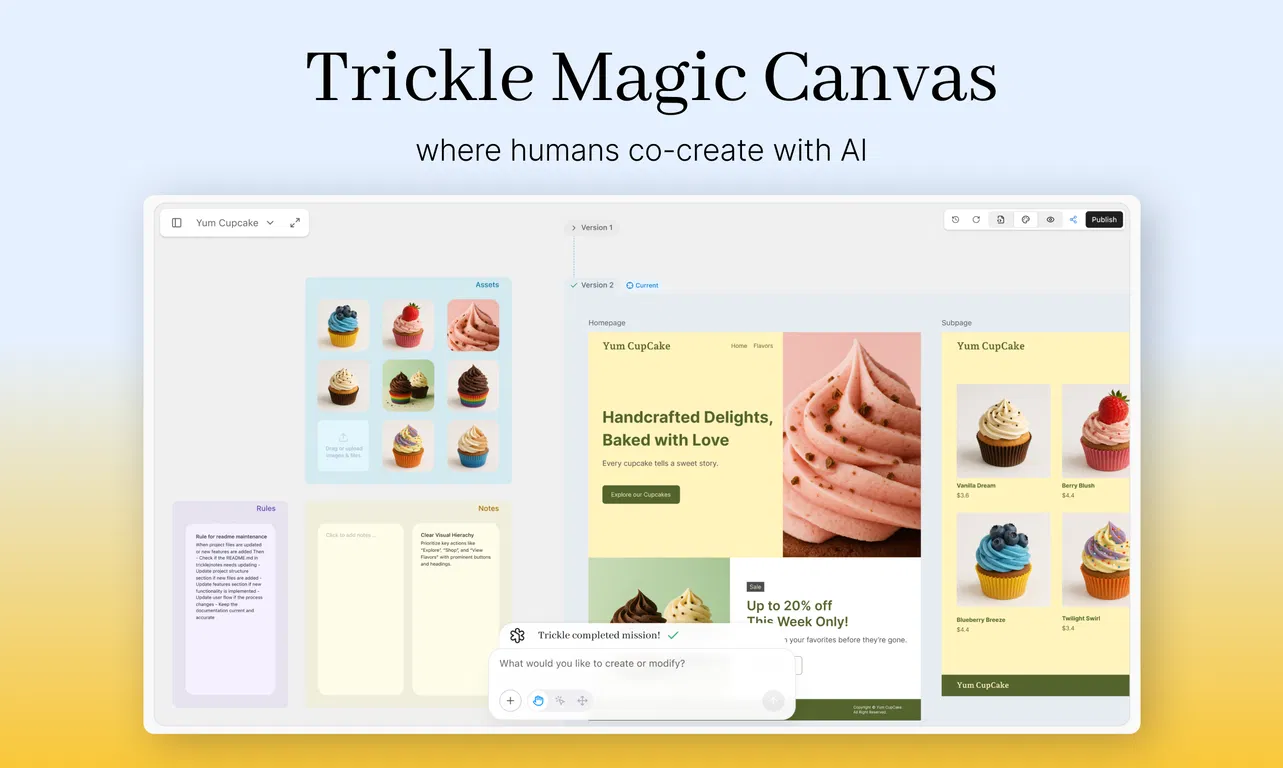
Trickle Magic Canvas is the first agentic canvas that allows you to visually co-create with AI to develop production-ready apps and websites. It offers a visual environment for context engineering, enabling the agent to better grasp your intentions and construct multi-page applications.
Unlike typical development processes that separate design from coding or depend on endless AI prompt exchanges, Magic Canvas provides a visual area for context engineering. Within this canvas, agents can more accurately understand user intent and help in the creation of multi-page applications. Users have the ability to fine-tune design elements through simple actions like dragging, selecting, and adjusting components, with all changes automatically converted into and synchronized with code. This results in a smooth integration of design, code, and the final application output.
Magic Canvas signifies a new phase in graphical user interfaces for AI agents, representing the beginning of the next era of vibe coding. It also demonstrates Trickle’s ongoing investigation into Human-AI Interaction 3.0 and the evolution of context engineering.
Why is a canvas beneficial?
Currently, most AI tools depend on linear chats or text prompts, which we think restricts creativity and clarity. The canvas changes this.
1. View every version and page at a glance. Each page and sub-page exists on a timeline, allowing you to quickly browse, edit, and preview progress like a dynamic, visual document — eliminating the need to search through chat logs or scattered states.
2. The canvas provides the context. In contrast to linear chats, you can input rules and notes, and directly drag assets into the canvas. This provides the AI with a comprehensive, persistent understanding — not just your last instruction. Consider it **visual context engineering** — where intent is not just expressed, but also structured.
3. AI actions are apparent. You can monitor each step of the AI build in real-time, adjust anything with drag-and-drop, and instantly publish when ready. This greatly reduces the entry barrier for beginners using vibe coding.
This approach makes vibe coding intuitive, transparent, and truly collaborative — not merely generative.
Canvas Core Capabilities
1. Canvas is the Context
Everything the AI needs to generate is placed on the canvas: assets, rules, user notes, search results. These serve as active inputs in the model’s decision-making process.
2. Output Is Deployable, Functional Code
Unlike tools that produce mockups, Trickle delivers production-ready pages that are directly editable and deployable.
3. Multi-Page, Parallel Preview
Users can preview multiple pages simultaneously within the same canvas, facilitating more comprehensive structural planning and consistent UX flows.
4. Branchable Versioning
Any page or component can be branched into a new version and continue to evolve. All states are visually tracked, enabling quick iteration and recovery.
5. Real-Time Visual Editing
Drag images, components, or data sources onto the canvas. Each visual action immediately updates the semantic context.
6. Agent-Orchestrated Tool Use
The AI independently selects and uses internal tools — layout engines, image generators, code editors — based on the requirements of the task. Users don’t have to manually specify tools.
7. Follow Mode: Contextual Generation Focus
While the AI generates in one section, the canvas automatically tracks and focuses on that area, keeping users and AI aligned.
What You Can Build (Use Cases)
- Marketing pages and product demos that adapt to user input
- Personal tools that automate repetitive tasks, create content, or deliver personalized outputs—ideal for replacing static forms with dynamic, intelligent interactions
- Surveys and forms that include logic, scoring, and database storage
- Internal tools for managing content, leads, or user submissions
Who It’s For
- Founders looking to quickly test and launch without a development team
- Designers and marketers seeking complete creative control without needing to code
- Builders and hackers interested in exploring AI-native products
- Educators and creators aiming to publish engaging, interactive experiences
- Anyone interested in building with AI, but prefers to avoid dealing with code, APIs, or backend services
Unlike typical development processes that separate design from coding or depend on endless AI prompt exchanges, Magic Canvas provides a visual area for context engineering. Within this canvas, agents can more accurately understand user intent and help in the creation of multi-page applications. Users have the ability to fine-tune design elements through simple actions like dragging, selecting, and adjusting components, with all changes automatically converted into and synchronized with code. This results in a smooth integration of design, code, and the final application output.
Magic Canvas signifies a new phase in graphical user interfaces for AI agents, representing the beginning of the next era of vibe coding. It also demonstrates Trickle’s ongoing investigation into Human-AI Interaction 3.0 and the evolution of context engineering.
Why is a canvas beneficial?
Currently, most AI tools depend on linear chats or text prompts, which we think restricts creativity and clarity. The canvas changes this.
1. View every version and page at a glance. Each page and sub-page exists on a timeline, allowing you to quickly browse, edit, and preview progress like a dynamic, visual document — eliminating the need to search through chat logs or scattered states.
2. The canvas provides the context. In contrast to linear chats, you can input rules and notes, and directly drag assets into the canvas. This provides the AI with a comprehensive, persistent understanding — not just your last instruction. Consider it **visual context engineering** — where intent is not just expressed, but also structured.
3. AI actions are apparent. You can monitor each step of the AI build in real-time, adjust anything with drag-and-drop, and instantly publish when ready. This greatly reduces the entry barrier for beginners using vibe coding.
This approach makes vibe coding intuitive, transparent, and truly collaborative — not merely generative.
Canvas Core Capabilities
1. Canvas is the Context
Everything the AI needs to generate is placed on the canvas: assets, rules, user notes, search results. These serve as active inputs in the model’s decision-making process.
2. Output Is Deployable, Functional Code
Unlike tools that produce mockups, Trickle delivers production-ready pages that are directly editable and deployable.
3. Multi-Page, Parallel Preview
Users can preview multiple pages simultaneously within the same canvas, facilitating more comprehensive structural planning and consistent UX flows.
4. Branchable Versioning
Any page or component can be branched into a new version and continue to evolve. All states are visually tracked, enabling quick iteration and recovery.
5. Real-Time Visual Editing
Drag images, components, or data sources onto the canvas. Each visual action immediately updates the semantic context.
6. Agent-Orchestrated Tool Use
The AI independently selects and uses internal tools — layout engines, image generators, code editors — based on the requirements of the task. Users don’t have to manually specify tools.
7. Follow Mode: Contextual Generation Focus
While the AI generates in one section, the canvas automatically tracks and focuses on that area, keeping users and AI aligned.
What You Can Build (Use Cases)
- Marketing pages and product demos that adapt to user input
- Personal tools that automate repetitive tasks, create content, or deliver personalized outputs—ideal for replacing static forms with dynamic, intelligent interactions
- Surveys and forms that include logic, scoring, and database storage
- Internal tools for managing content, leads, or user submissions
Who It’s For
- Founders looking to quickly test and launch without a development team
- Designers and marketers seeking complete creative control without needing to code
- Builders and hackers interested in exploring AI-native products
- Educators and creators aiming to publish engaging, interactive experiences
- Anyone interested in building with AI, but prefers to avoid dealing with code, APIs, or backend services
Key Features
Integrated Database
Included Hosting
AI-Driven Processes
Direct Editing
Pricing Plans
Model
freemium
Packages
1 Package
Price Start From
$20/month
Payment Model
Not specified
Model
freemium
Packages
1 Package
Price Start From
$20/month
Payment Model
Not specified
Releases
We've introduced Trickle Magic Canvas, a foundational element for innovative AI-driven development that goes beyond prompting to enable co-creation. In contrast to conventional linear chats, Magic Canvas offers a completely visual workspace for collaborating with AI and developing production-ready websites, applications, and forms.
With Magic Canvas, you gain the ability to:
- Co-create visually with AI
Arrange pages, incorporate assets, write notes, and establish rules directly on the canvas. The AI's understanding of context comes not just from prompts but also from structure and layout.
- Develop multi-page apps within a single flow
Establish and arrange complete product structures across numerous screens and flows, incorporating versioning and a straightforward visual hierarchy.
- Observe the AI's thought process
Transparently observe each AI step as it unfolds, with real-time feedback and editable outputs. Say goodbye to black box generations.
- Directly modify any element
Access any frame to adjust text, styles, and layout, receiving immediate feedback. All modifications synchronize with clean, production-grade code in the background.
- Publish immediately
Go from canvas to a live site and publish your work with a single click, eliminating the need for additional tools or setup.
With Magic Canvas, you gain the ability to:
- Co-create visually with AI
Arrange pages, incorporate assets, write notes, and establish rules directly on the canvas. The AI's understanding of context comes not just from prompts but also from structure and layout.
- Develop multi-page apps within a single flow
Establish and arrange complete product structures across numerous screens and flows, incorporating versioning and a straightforward visual hierarchy.
- Observe the AI's thought process
Transparently observe each AI step as it unfolds, with real-time feedback and editable outputs. Say goodbye to black box generations.
- Directly modify any element
Access any frame to adjust text, styles, and layout, receiving immediate feedback. All modifications synchronize with clean, production-grade code in the background.
- Publish immediately
Go from canvas to a live site and publish your work with a single click, eliminating the need for additional tools or setup.
Reviews
Pros & Cons
Pros
Development without Code
Processing of Natural Language
Fast Prototyping
Cons
Confined to web applications
API support not mentioned
No user analytics in detail