Description
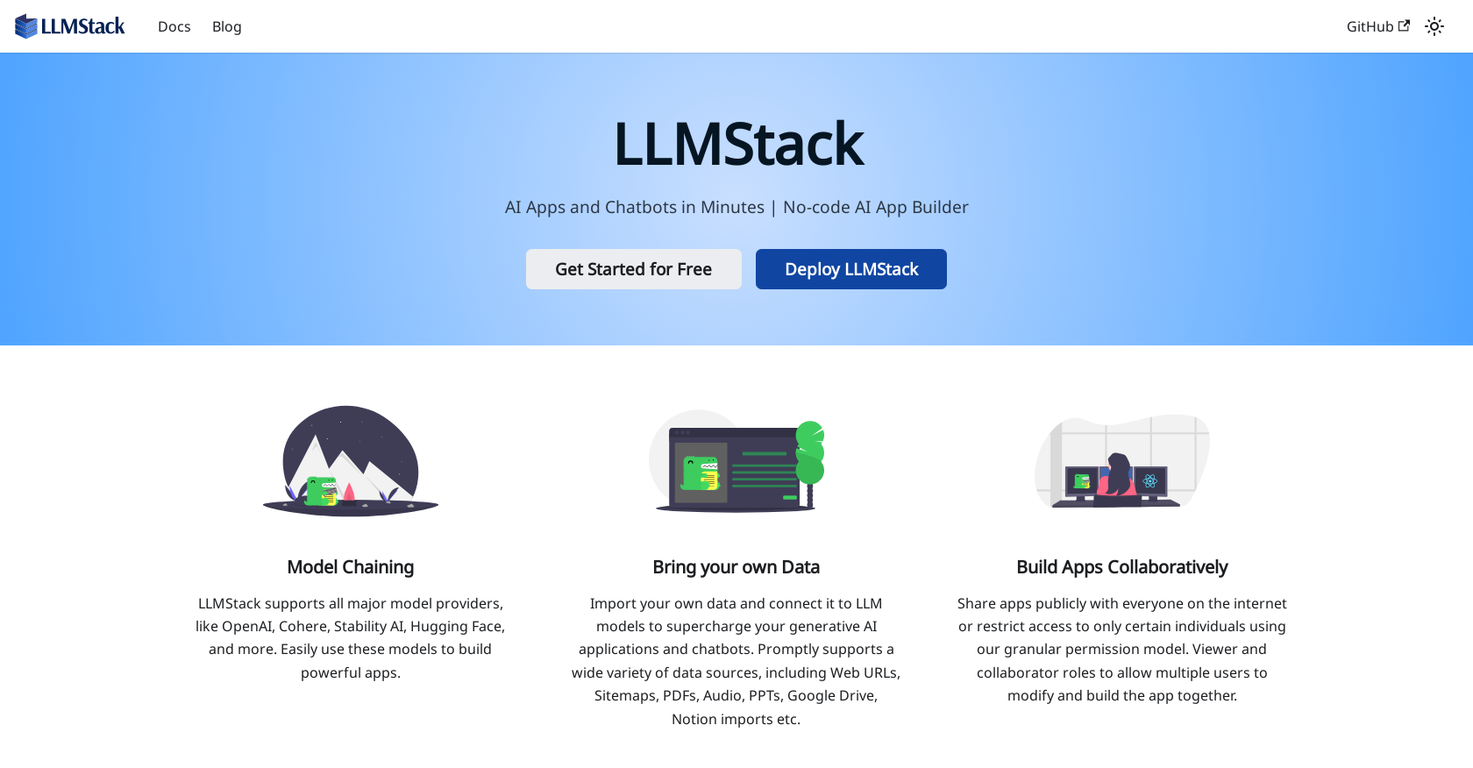
LLMStack is a no-code platform that lets users develop generative AI applications, chatbots, and agents utilizing their own data. It allows users to effortlessly create powerful applications without needing coding expertise.
The platform is compatible with leading model providers like OpenAI, Cohere, Stability AI, and Hugging Face, ensuring smooth integration of these models into applications. A key advantage of LLMStack is its capacity to import from various data sources, including web URLs, sitemaps, PDFs, audio files, PPTs, Google Drive, and Notion imports.
By linking your own data to LLM models, users can enhance their generative AI applications and chatbots with tailored content. LLMStack provides collaborative features, enabling users to share their apps publicly or limit access to selected individuals.
The platform provides detailed permission controls, enabling different roles such as viewers or collaborators. This supports teamwork and allows multiple users to jointly modify and build applications. The platform runs on React, which ensures a responsive user interface for a great user experience. To further support users, LLMStack offers complete documentation covering the user interface, processors, applications, and data sources.
Additionally, a vibrant community is active on Discord, LinkedIn, and Twitter, where users can find support or connect with fellow LLMStack enthusiasts. In summary, LLMStack makes it easy and fast for users to create AI-driven applications and chatbots, making use of their own data sources and a wide array of major model providers.
Pricing Plans
Releases
Reviews
Pros & Cons
Pros
No-code platform benefits
Support for importing from diverse data sources
Team collaboration features
Cons
Reliance on external providers
Proprietary software
Lacks an API