Ctrl/



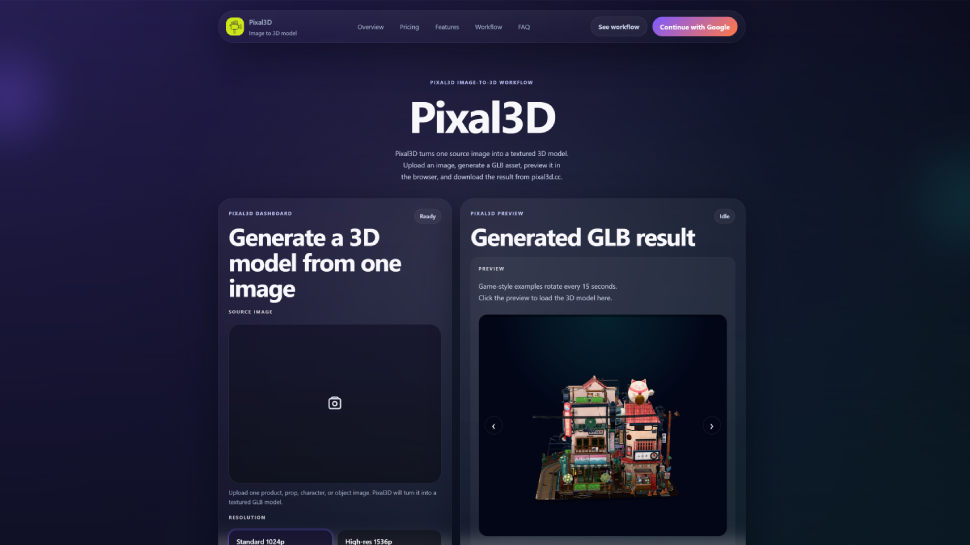
Use Pixal3D on pixal3d.cc to turn one source image into a textured GLB 3D model with browser preview, download, credits, and generation history.
Input:
Output:
Updated: May 31, 2026 From 19.99
Description
Have you ever needed a 3D model but did not know how to make one? [Pixal3D](
Pricing Plans
Model
paid
Packages
1 Package
Price Start From
19.99
Payment Model
Not specified
Model
paid
Packages
1 Package
Price Start From
19.99
Payment Model
Not specified
Releases
Have you ever needed a 3D model for a project but found the software too hard to learn? [Pixal3D]() is a web tool that changes one image into a textured 3D model. You do not need to install anything. Everything works in your browser. This article explains what Pixal3D can do and who can use it. ## What Is Pixal3D? Pixal3D is an image-to-3D model generator. You upload a single picture – for example, a photo of a product, a drawing of a character, or a picture of a prop. The tool then creates a GLB 3D model with texture. GLB is a file type that many 3D programs and websites can open. You can preview the model in your browser, download it, and use it later. The website keeps your generation history. You can go back and download old models again. The tool uses a credit system. Each time you create a model, it uses some credits. You can buy credits or get them with a subscription. ## Who Is This Tool For? Pixal3D is made for people who want a quick 3D model without learning complex 3D software. Here are some examples: - **Product teams** – If you have a product photo and need a 3D preview for your website or catalog, Pixal3D can help. - **Game developers** – You can turn a concept art image into a draft GLB asset for a game prop, character, or environment. - **Indie builders** – If you are a solo maker or small team, you can test 3D ideas fast without hiring a 3D artist. - **Designers** – Use it to create 3D drafts from sketches or photos before doing more detailed work. - **Hobbyists** – Anyone who likes 3D modeling can try turning their own images into models for fun. The tool works best when you have one clear image of an object, product, character, or prop. It is not designed for complex scenes or multi-angle photos. ## Core Benefits in Simple Words - **One image is enough** – You only need one source image to start. - **No software to download** – Everything happens in your browser. - **Get a textured GLB model** – The result has color and texture, ready to use. - **Preview before you download** – See the 3D model in your browser first. - **Saved history** – Your past models are stored so you can download them again. - **Two resolution options** – Choose standard (1024p) for quick drafts or high-res (1536p) for more detail. ## Where Can You Use the Models? You can use the generated GLB models in many places. For example: - Place them on your product page for a 3D viewer. - Add them to a game or virtual world. - Share them with teammates for feedback. - Print them as 3D objects (if you convert the file). - Use them in AR or VR apps. The tool gives you a commercial use license with subscriptions, so you can use the models for business projects too. ## Final Thought Pixal3D is not a full 3D design suite. It is a simple, focused tool for turning one picture into a 3D model fast. If you need a quick 3D asset and do not want to learn complicated software, this tool can save you time. Check it out at [Pixal3D]() and see if it fits your workflow.