Ctrl/




WriteMail.ai: Instantly create impeccable emails using an AI email writer.
Updated: Sep 15, 2024 Free + from $11.95/month
Description
WriteMail.ai: The Future of Email Writing, Powered by AI
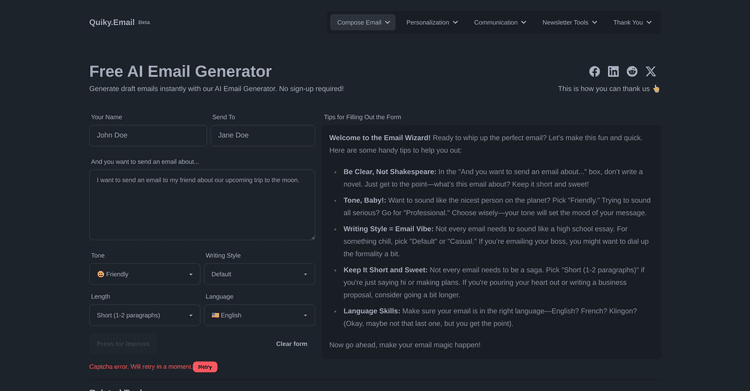
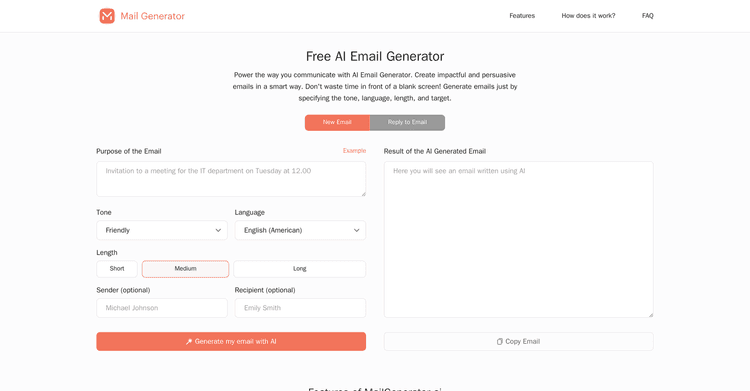
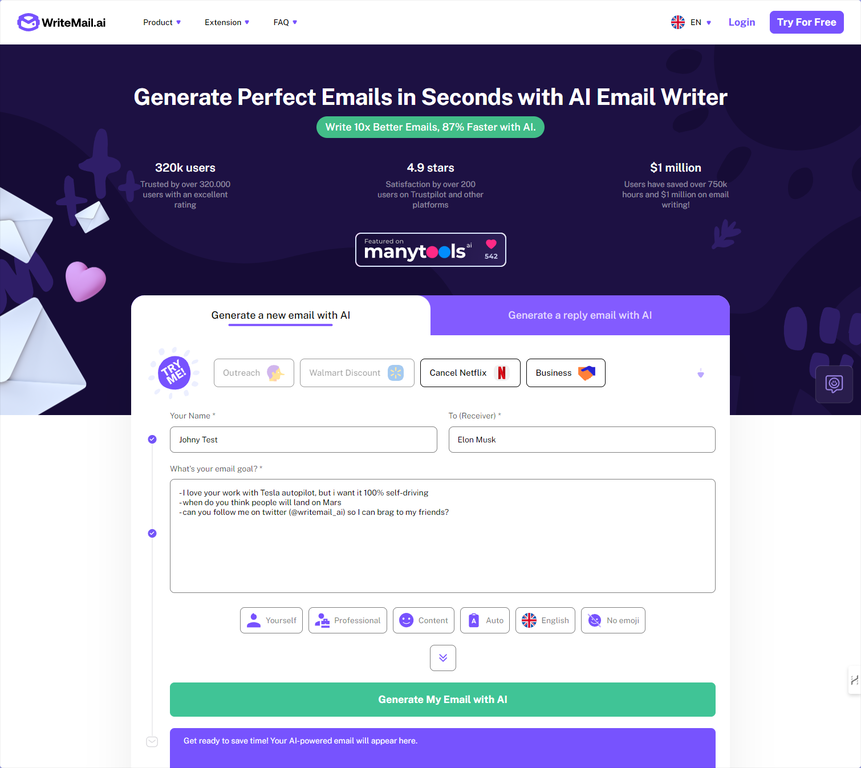
Are you tired of spending countless hours perfecting your emails? Discover WriteMail.ai, the innovative AI email assistant set to revolutionize communication.
WriteMail.ai employs advanced artificial intelligence to help you quickly produce professional, engaging, and impactful emails. Whether you're a professional, student, or simply seeking more efficient communication, WriteMail.ai is your key to email success.
Key Features:
• Rapid email creation with cutting-edge AI technology
• Intelligent recommendations for tone, style, and content to align with your personal brand
• Multilingual capabilities for global correspondence
• Time-efficient features like email history and reuse
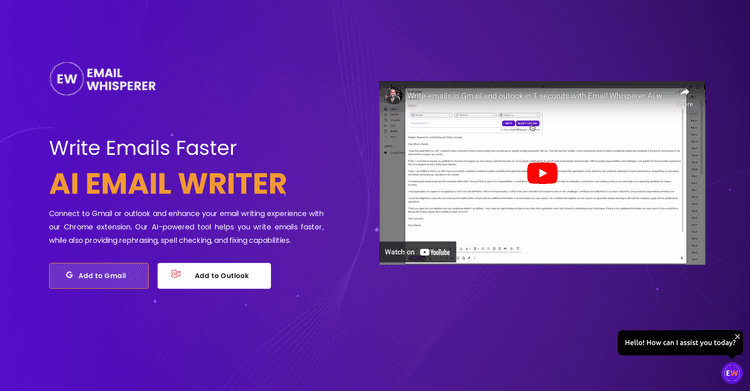
• Smooth integration with widely-used email platforms (coming soon)
With WriteMail.ai, you'll:
• Reclaim several hours each week from email composition
• Achieve higher response rates with flawlessly written messages
• Overcome writer's block and ease communication apprehension
• Elevate your professional image with refined, error-free emails
Our AI doesn't just generate emails; it crafts emails that yield results. Trained on millions of successful email exchanges and constantly evolving, WriteMail.ai ensures your messages are clear, persuasive, and customized to your audience.
WriteMail.ai is adaptable to your requirements, from cold outreach to team updates, client communication, and personal messages. Our versatile pricing options, including a complimentary tier, democratize access to professional-quality email writing.
Join the community of over 320,000 satisfied users already benefiting from the future of email communication. Go beyond simply writing emails – compose superior emails more rapidly and intelligently with WriteMail.ai.
Experience WriteMail.ai today and transform your approach to email!
Are you tired of spending countless hours perfecting your emails? Discover WriteMail.ai, the innovative AI email assistant set to revolutionize communication.
WriteMail.ai employs advanced artificial intelligence to help you quickly produce professional, engaging, and impactful emails. Whether you're a professional, student, or simply seeking more efficient communication, WriteMail.ai is your key to email success.
Key Features:
• Rapid email creation with cutting-edge AI technology
• Intelligent recommendations for tone, style, and content to align with your personal brand
• Multilingual capabilities for global correspondence
• Time-efficient features like email history and reuse
• Smooth integration with widely-used email platforms (coming soon)
With WriteMail.ai, you'll:
• Reclaim several hours each week from email composition
• Achieve higher response rates with flawlessly written messages
• Overcome writer's block and ease communication apprehension
• Elevate your professional image with refined, error-free emails
Our AI doesn't just generate emails; it crafts emails that yield results. Trained on millions of successful email exchanges and constantly evolving, WriteMail.ai ensures your messages are clear, persuasive, and customized to your audience.
WriteMail.ai is adaptable to your requirements, from cold outreach to team updates, client communication, and personal messages. Our versatile pricing options, including a complimentary tier, democratize access to professional-quality email writing.
Join the community of over 320,000 satisfied users already benefiting from the future of email communication. Go beyond simply writing emails – compose superior emails more rapidly and intelligently with WriteMail.ai.
Experience WriteMail.ai today and transform your approach to email!
Pricing Plans
Model
freemium
Packages
1 Package
Price Start From
$11.95/month
Payment Model
Not specified
Model
freemium
Packages
1 Package
Price Start From
$11.95/month
Payment Model
Not specified
Releases
WriteMail.ai - Version 2.0 Update Notes
We are excited to announce the launch of WriteMail.ai 2.0! This significant release includes substantial enhancements and new functionalities aimed at transforming your email creation process.
Key Update
Significantly Improved Email Writing Performance
- Continuous refinements to our AI algorithms
- Precision-tuned with our comprehensive email database to guarantee focused email composition
- Enhanced algorithms designed to increase email reply rates
New Features
1. app.writemail.ai Platform
- Email Archive: Save and retrieve your previously generated emails
- Email Repurposing: Easily modify and reuse past emails for future scenarios
2. Smart Mail Assistant
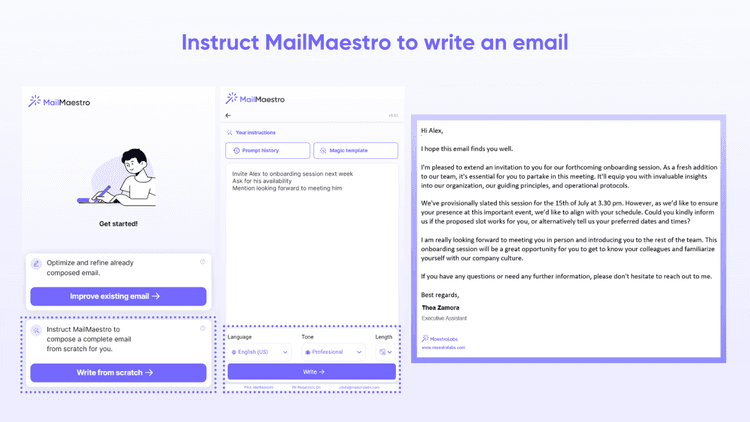
- Real-time AI-driven prompts to refine your emails
- Relevant suggestions for improving clarity, tone, and structure
3. Customization Options
- Adjust the tone, style, and length to personalize your emails
- New settings to better reflect your individual voice and communication style
4. Multilingual Support
- Create emails in various languages using AI assistance
- Automated language recognition for effortless multilingual communication
5. One-Click Email Send
- Immediately dispatch AI-generated emails using your preferred email program
- Simplified process from writing to sending
6. New Pricing Structure
- Introduction of paid subscriptions for regular users to access premium features
- Continued free access to ensure inclusivity for all users
Improvements
7. Enhanced AI Model
- Improved quality and relevance in email generation
- Reduced processing times for faster email creation
8. User Interface Overhaul
- A more streamlined and intuitive user experience
- Enhanced navigation and feature access
9. Expanded Use Cases
- New templates for a variety of email formats (business, personal, marketing, etc.)
- Improved versatility across diverse email situations
Coming Soon
10. Gmail Integration (Beta)
- Seamless integration of WriteMail.ai within your Gmail interface
- Currently in limited beta, with a full release planned shortly
Performance
- Optimization for faster email generation times
- Faster server performance for an improved user experience
Bug Fixes
- Assorted minor bug fixes and enhanced stability
- Improved error management and user support
Thank you for choosing WriteMail.ai! We are dedicated to constantly enhancing your email writing experience. For inquiries or feedback, please reach out to our support staff.
We are excited to announce the launch of WriteMail.ai 2.0! This significant release includes substantial enhancements and new functionalities aimed at transforming your email creation process.
Key Update
Significantly Improved Email Writing Performance
- Continuous refinements to our AI algorithms
- Precision-tuned with our comprehensive email database to guarantee focused email composition
- Enhanced algorithms designed to increase email reply rates
New Features
1. app.writemail.ai Platform
- Email Archive: Save and retrieve your previously generated emails
- Email Repurposing: Easily modify and reuse past emails for future scenarios
2. Smart Mail Assistant
- Real-time AI-driven prompts to refine your emails
- Relevant suggestions for improving clarity, tone, and structure
3. Customization Options
- Adjust the tone, style, and length to personalize your emails
- New settings to better reflect your individual voice and communication style
4. Multilingual Support
- Create emails in various languages using AI assistance
- Automated language recognition for effortless multilingual communication
5. One-Click Email Send
- Immediately dispatch AI-generated emails using your preferred email program
- Simplified process from writing to sending
6. New Pricing Structure
- Introduction of paid subscriptions for regular users to access premium features
- Continued free access to ensure inclusivity for all users
Improvements
7. Enhanced AI Model
- Improved quality and relevance in email generation
- Reduced processing times for faster email creation
8. User Interface Overhaul
- A more streamlined and intuitive user experience
- Enhanced navigation and feature access
9. Expanded Use Cases
- New templates for a variety of email formats (business, personal, marketing, etc.)
- Improved versatility across diverse email situations
Coming Soon
10. Gmail Integration (Beta)
- Seamless integration of WriteMail.ai within your Gmail interface
- Currently in limited beta, with a full release planned shortly
Performance
- Optimization for faster email generation times
- Faster server performance for an improved user experience
Bug Fixes
- Assorted minor bug fixes and enhanced stability
- Improved error management and user support
Thank you for choosing WriteMail.ai! We are dedicated to constantly enhancing your email writing experience. For inquiries or feedback, please reach out to our support staff.
Reviews
Pros & Cons
Pros
Boosts email efficiency
Offers options for personalization
Stores user settings on the device
Cons
Settings are stored in a cookie
No cloud storage
Does not function offline