Ctrl/

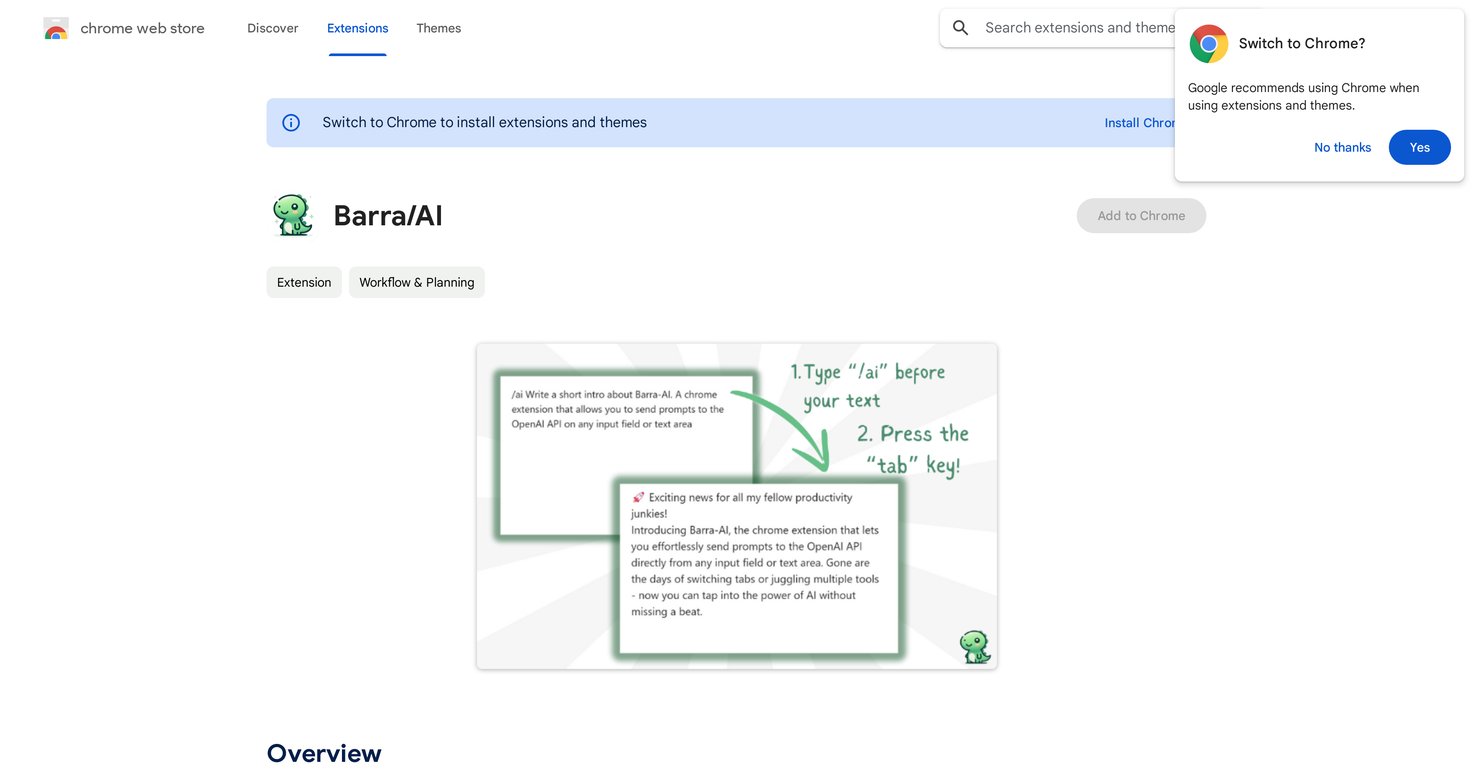
Barra/AI is a streamlined AI browser extension that simplifies access to GPT (Generative Pretrained Transformer) models. Taking its name from the Portuguese term for 'slash,' this plugin enables users to type '/ai' followed by a question or prompt within any web text input field. By pressing the 'Tab' key, the extension generates AI responses, replacing the field's existing content with the generated text.
In addition to its simplicity, the extension offers other notable features. All data is processed locally within the browser's storage, ensuring the privacy of personal information.
Furthermore, any requests to OpenAI's API are sent directly from the user's browser, enhancing data security. The tool also utilizes the user's own OpenAI API key, eliminating typical subscription fees and hidden costs, while providing unlimited usage.
Barra/AI is also an open-source initiative, encouraging community involvement in its development, and allowing interested individuals to examine and contribute to its codebase.
The tool is designed for broad use, integrating smoothly into numerous text input areas on the web. However, ongoing efforts are focused on resolving compatibility issues with platforms like Meta (including Facebook and Instagram) to increase its versatility.
Setting up the tool is straightforward, requiring users to install the extension, input their OpenAI API key, and choose their preferred GPT model from the options menu.
Despite its no-frills promise, it uses a dinosaur icon, signaling its dedication to providing a fun and modest AI assistant to users.
Straightforward interface
Streamlines access to GPT models
Uses user-provided API keys
Lacks support for Meta platforms
Not compatible with the Lexical editor framework
Requires the manual selection of a GPT model
Released 3 years ago
Contact for pricing
Released 1 year ago
Free
Released 3 years ago
From $19
Released 3 years ago
Free + from $48.99/month

Released 2 years ago
Free + from $49/year
Released 2 years ago
Free