Description
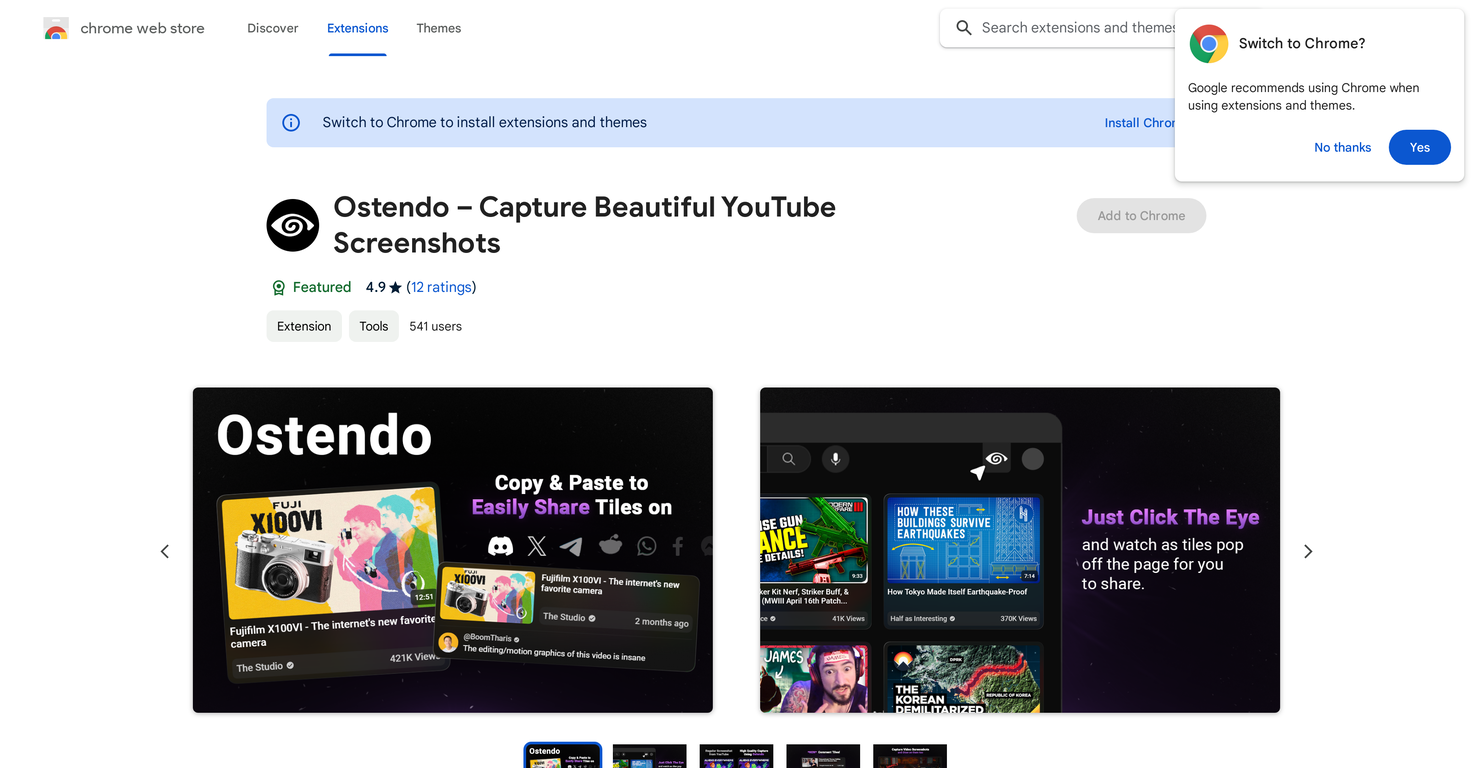
Ostendo is a tool mainly for capturing and sharing great screenshots from YouTube. It features the ability to make appealing 'Tiles' from YouTube thumbnails and comments.
Ostendo lets you change the shape of the captured image, what goes into the screenshot, and the theme, so you can make captures that fit what you need.
With this tool, you can grab Thumbnails in Tile format and change the size, color theme, video length, view count, and how old the video is.
You can also grab YouTube comments, change the color theme, and pick to show the comment with one reply. Ostendo also lets you grab video screenshots, and draw on them using different colors and brush sizes.
This tool aims to make screenshots that look good when shared on places like Tweets, Discord messages, or Reddit posts. You can save the images made by Ostendo or copy them to your clipboard to share them quickly.
Ostendo is built using the best methods for Chrome extensions and doesn't take or use your data, showing that it cares about user privacy.
Pricing Plans
Releases
Reviews
Pros & Cons
Pros
Captures screenshots in high quality.
Enables creation of 'Tiles' from thumbnails.
Supports customization of image shape.
Cons
Only works on the YouTube platform
Only available as a Chrome extension
Limited choices for brush colors