Description
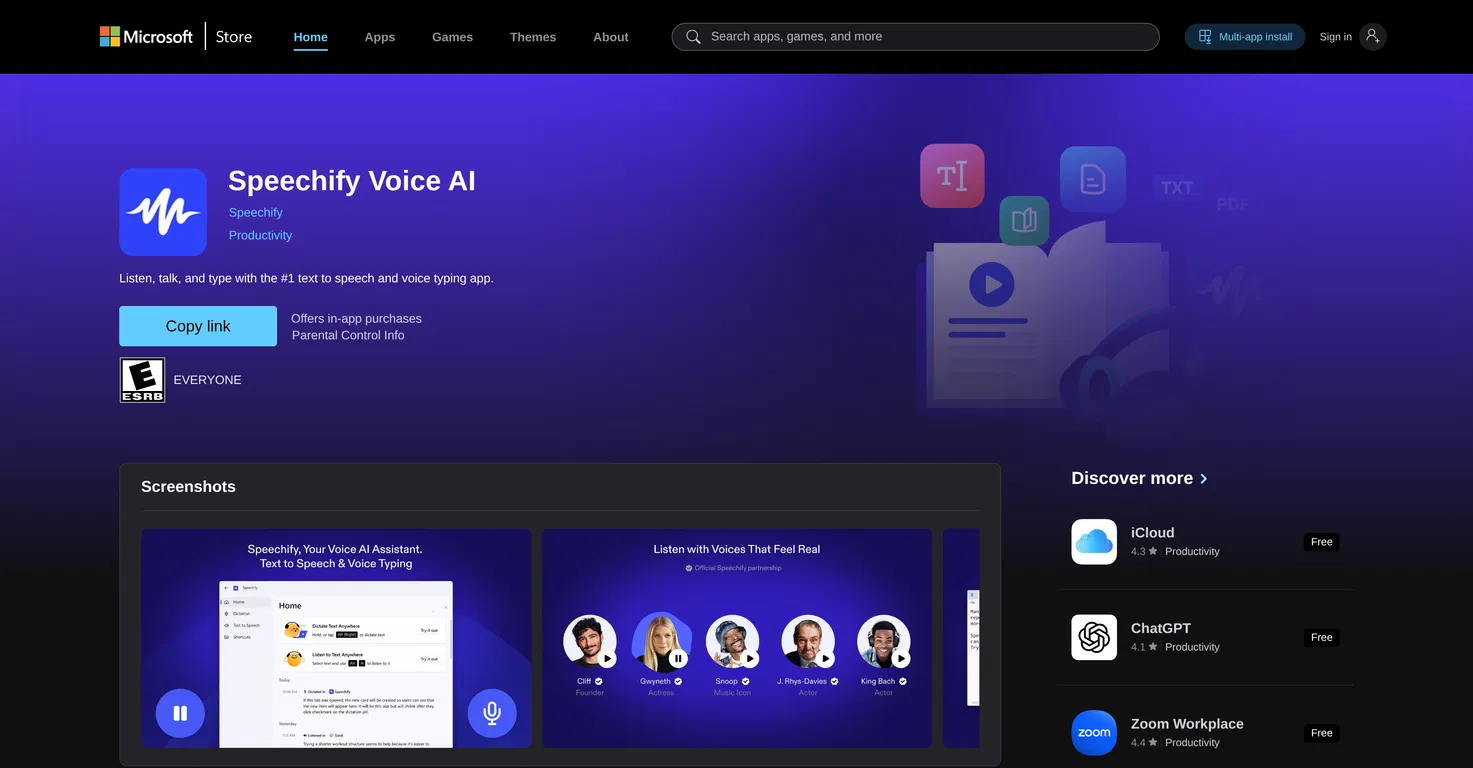
Speechify Voice AI is a versatile, hands-free tool for Windows operating systems designed to boost productivity and assist in various tasks.
With the power of .NET Desktop Runtime, Speechify offers comprehensive reading and voice typing capabilities across the entire desktop. The tool can read emails, PDFs, webpages and documents aloud, enabling easier and faster comprehension of diverse content.
It is compatible with a wide range of languages and allows for adjustable playback speed to suit individual reading preferences. Additionally, Speechify includes a voice-typing function that converts spoken words into written text, effectively turning your voice into a typing instrument.
This functionality improves efficiency, especially when generating extensive texts such as reports or documentation. The tool's flexibility allows it to work not only in-browser, but also across any application within a Windows desktop environment.
Notably, Speechify aims to deliver text-to-speech technology that emulates human-like intonations and rhythms, creating a more natural and enjoyable user experience.
With a design focused on providing a smooth experience, Speechify Voice AI is geared towards facilitating strong user usability, enhancing productivity, and providing a complete hands-free digital interface.
Pricing Plans
Releases
Reviews
Pros & Cons
Pros
Hands-free usage
Reading across entire computer
Reading of emails, PDFs, documents
Cons
Exclusively for Windows OS
Requires .NET Desktop Runtime
Absence of offline mode